You have finally received your sequencing data and can't wait to start analyzing it! But here's the catch: raw FASTQ files alone won't get you far. To extract meaningful biological insights, you first need to map your reads to a reference genome. Before that, don't forget to check your FASTQ quality! After checking your FASTQ quality, the next step is to understand the reference genome you'll use to align your reads. In this blog, we will go through what reference genomes and assemblies are, why they matter for transcriptomic analyses, where to find them, and how to choose the right files for your experiment. We will also cover common pitfalls, such as incompatible annotations, and show you how to create a custom reference when working with genetically modified organisms.

What is a reference genome and an assembly?
A reference genome is a standardized, representative sequence for a species. For well-studied organisms like humans or mice, it’s typically built by assembling sequences from multiple individuals. For rare or less-studied species, the reference often comes from a single individual due to limited sample availability.
Reference genomes are continuously maintained and improved by large scientific collaborations, most notably the Genome Reference Consortium (GRC), which includes institutions like the Wellcome Sanger Institute, the McDonnell Genome Institute, the European Bioinformatics Institute (EBI), and the National Center for Biotechnology Information (NCBI). When substantial updates or corrections accumulate, the consortium releases a new genome assembly that incorporates the latest improvements in accuracy and resolution.
For example, the latest release for the mouse assembly GRCm39 was released on June 24, 2020, and according to the GRC official release notes, all chromosome coordinates changed, and more than 370 reported issues were resolved.
Our data scientists can maximize your biological discovery
Our data consultancy service is designed for scientists seeking easy access to deep bioinformatics expertise. Rely on us for fast, flexible analysis. You bring the biological insight; we bring the analytical power.
Why Do Reference Genomes Matter?
Any RNA sequencing data requires a reference genome to interpret raw reads accurately. These reads are aligned to known transcripts or genes to quantify their expression levels.
In whole-genome sequencing, the focus may shift toward identifying genomic variants (such as SNVs or indels), which also rely on comparing sample reads to a standardized reference genome. Without this reference, it would be impossible to determine where reads originate or to detect meaningful biological differences.
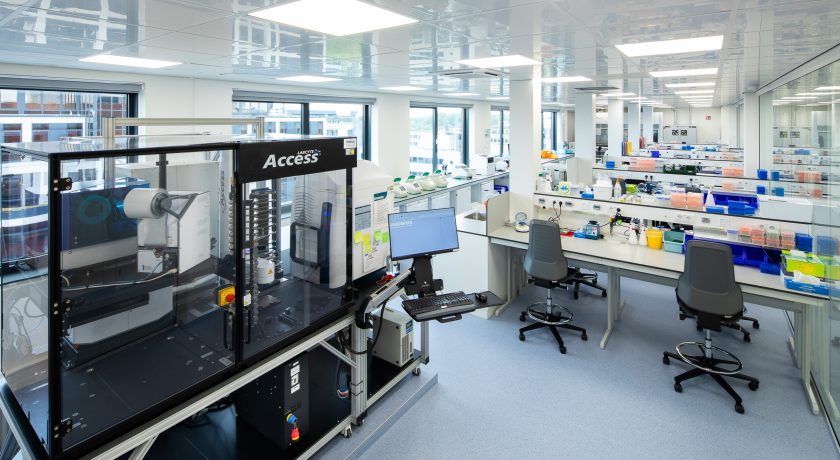
At Single Cell Discoveries, we routinely work with references from all kinds of organisms, 50+ species and counting! This flexibility allows us to support diverse research projects, from model organisms to rare species.

Figure showing some of the organisms that Single Cell Discoveries has sequenced.
Where can I find reference genomes?
The most commonly used sources are:
Note: GENCODE differs slightly from other databases, as it focuses specifically on producing the most comprehensive and accurate gene annotations for human and mouse.
Although these databases often provide the identical underlying genome assemblies, they differ in several important ways. One significant difference is naming conventions: NCBI and Ensembl use assembly names such as GRCh38 for human or GRCm39 for mouse, while UCSC uses alternative naming such as hg38 or mm39. Chromosome identifiers also differ between FASTA and annotation files; UCSC typically adds a “chr” prefix (e.g., chr1), whereas NCBI uses RefSeq-style identifiers (e.g., NC_000001.11) and Ensembl uses simple numeric labels (e.g., 1).
Which database and reference should you use to map your data?
At Single Cell Discoveries, Ensembl and GENCODE are generally preferred because STAR, the most widely used aligner for RNA sequencing data, recommends them for optimal compatibility and annotation quality.
FASTA file:
A FASTA file is a text-based file that contains nucleotide sequences, in which the base pairs are represented using single-letter codes.
Following STAR best practices, you should use the Primary Assembly FASTA file whenever available, and the Top-level FASTA file if a primary assembly is not provided.
The primary assembly contains all top-level sequence regions while excluding haplotypes and patches, making it the most appropriate choice for sequence similarity searches, where additional haplotype or patch regions could introduce confusion or false alignments.
If no primary assembly exists for a given organism, the top-level file is effectively equivalent. Top-level FASTA files include all regions flagged as top-level in the Ensembl schema, such as assembled chromosomes, unplaced scaffolds, and N-padded haplotype or patch regions. If no file contains a complete set of chromosomes, the whole genome can be reconstructed by concatenating all top-level chromosome FASTA files.
When selecting FASTA files, it is essential not to use masked versions of the reference (files containing the suffixes rm or sm) and to avoid files containing chromosome names (unless you want to reconstruct the genome as mentioned above).
GTF file:
A GTF (Gene Transfer Format) file contains all the information regarding genome annotation, so it is crucial to choose the correct file. For GENCODE, you should use the main annotation file gencode.vX.annotation.gtf.gz, containing only annotations on the reference chromosomes.
As for Ensembl, the database provides its main reference annotation along with additional GTF files generated by ab initio gene prediction tools such as Genscan. These prediction-based files are labeled with the abinitio extension and should generally be avoided unless specifically required, as they include computational predictions rather than curated gene models.
Important Note:
Because of the differences between databases outlined above, it’s crucial to keep your reference files consistent. These discrepancies can cause issues in several ways. For example, combining datasets mapped to different reference genomes from different sources often results in mismatches in gene identifiers and annotation errors, rendering downstream analysis unreliable. Another issue is mixing FASTA and GTF files from different databases, as their chromosome identifiers are incompatible. To avoid these and other potential problems, always download both files from the same database using the same assembly release.
Workshop: Adding a Custom gene to your reference
Sometimes, when working with genetically modified organisms (GMOs), you need to add a custom construct or transgene to your reference genome. In this section of the blog, we will show you how you can do this!
Step 1 - Prepare your transgene files
To add a custom transgene to your reference, you will need two files:
- A FASTA file with your transgene sequence
- A GTF file with annotations on the transgene
FASTA example:
Create a Scaffold for your gene of interest (a scaffold is created when you add a ‘>’ with a string followed by your sequence of interest in a FASTA file, as shown below)
> GFP
AGTAAAGGAGAAGAACTTTTCACTGGAGTTGTGACAATTCTTGTTGAATTAGATGGTGATGTTAATGGTC
ACAAATTTTCTGTTAGTGGAGAGGGTGAAGGTGATGCAACATACGGAAAACTTACCCTTAAATTTATTTG
TACTACTGGAAAACTACCTGTTCCCTGGCCAACACTTGTTACTACTTTGACTTATGGTGTTCAATGTTTT
TCAAGATACCCAGATCACATGAAACGGCACGACTTTTTCAAGAGTGCAATGCCCGAAGGTTATGTACAAG
AAAGAACTATTTTTTTCAAAGATGACGGTAACTACAAGACACGTGCTGAAGTTAAGTTTGAAGGTGATAC
CCTTGTTAATAGAATCGAGTTAAAAGGTATTGATTTTAAAGAAGATGGAAACATTCTTGGACACAAATTG
GAATACAACTATAACTCACACAATGTATACATTATGGCAGACAAACAAAAGAATGGAATCAAAGTTAACT
TCAAAATTAGACACAACATTGAAGATGGAAGTGTTCAACTAGCAGACCATTATCAACAAAATACTCCAAT
TGGCGATGGCCCTGTTCTTTTACCAGACAACCATTACCTGTCCACACAATCTGCTCTTTCTAAAGATCCC
AACGAAAAGAGAGACCATATGGTGCTTCTTGAGTTTGTAACAGCTGCTGGTATTACACACGGTATGGATG
AACTATACAAACACCATCACCATCACCATCACTAG
GTF example:
- The GTF file is composed of 9 fields, each delimited by a tab, as shown below. The fields must always be in this exact order.
seqname source feature start end score strand frame attribute
- To know which information to put in each field, refer to the supplementary information at the end of the blog.
GFP unknown exon 1 735 . + . gene_id "GFP"; transcript_id "GFP"; gene_name "GFP"; gene_biotype "custom_gene";
Step 2 - Concatenate transgene files with reference genome
Once you have created both the GTF and FASTA file for your transgene of interest, and have downloaded the reference genome for your model organism, you can append your custom entries to the reference files:
# Concatenate FASTA file
cat reference.fa custom.fa > concatenated.fa

# Concatenate GTF file
cat reference.gtf custom.gtf > concatenated.gtf
Step 3: Build the Index
Once you have your concatenated output, you can generate a reference index. Depending on the aligner you are using to map your data, you will use the following:
Aligning data using STAR:
STAR \
  --runMode genomeGenerate \
  --genomeDir reference_index_name \
  --genomeFastaFiles concatenated.fa \
  --sjdbGTFfile concatenated.gtf
Aligning data using Cell Ranger:
cellranger mkref \
  --genome=reference_index_name \
  --fasta=concatenated.fa \
  --genes=concatenated.gtf
Optional: Filter GTF
Cell Ranger provides cellranger mkgtf to filter annotations by attributes.
Supplementary information
GTF file format (Taken from https://ftp.ensembl.org/pub/release-115/gtf/homo_sapiens/README)
- seqname: name of the chromosome or scaffold.
- source: name of the program that generated this feature, or the data source (database or project name).
- feature: feature type name. Current allowed features are gene, transcript, exon, CDS, Selenocysteine, start_codon, stop_codon and UTR
- start: start position of the feature, with sequence numbering starting at 1.
- end: end position of the feature, with sequence numbering starting at 1.
- score: a floating point value indiciating the score of a feature.
- strand: defined as + (forward) or - (reverse).
- frame: one of '0', '1' or '2'. Frame indicates the number of base pairs before you encounter a full codon.
- attribute: a semicolon-separated list of tag-value pairs (separated by a space), providing additional information about each feature. A key can be repeated multiple times. You can find a list of all attributes you can use below, however for sake of simplicity we’ll just use gene_id, transcript_id, gene_name and gene_biotype.
What information can attributes have
- gene_id: The stable identifier for the gene
- gene_version: The stable identifier version for the gene
- gene_name: The official symbol of this gene
- gene_source: The annotation source for this gene
- gene_biotype: The biotype of this gene
- transcript_id: The stable identifier for this transcript
- transcript_version: The stable identifier version for this transcript
- transcript_name: The symbol for this transcript derived from the gene name
- transcript_source: The annotation source for this transcript
- transcript_biotype: The biotype for this transcript
- exon_id: The stable identifier for this exon
- exon_version: The stable identifier version for this exon
- exon_number: Position of this exon in the transcript
- ccds_id: CCDS identifier linked to this transcript
- protein_id: Stable identifier for this transcript's protein
- protein_version: Stable identifier version for this transcript's protein
- tag: A collection of additional key-value tags
- transcript_support_level: Ranking to assess how well a transcript is supported (from 1 to 5)
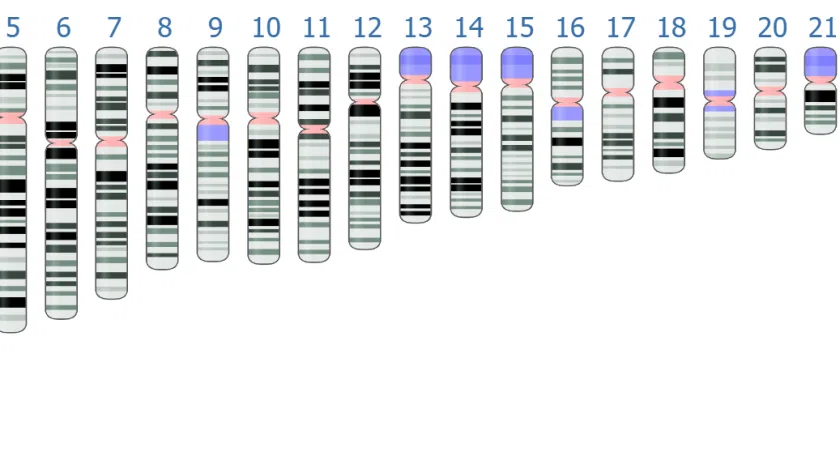
Citation for thumbnail of this blog: NCBI. (2022). Human genome assembly GRCh38 chromosomes ideogram. Wikimedia Commons. Retrieved December 8, 2025, from https://commons.wikimedia.org/wiki/File:Human_genome_assembly_GRCh38_chromosomes_ideogram_NCBI.png